
LinkedIn Video for B2B Brands: What to Film for the Feed, Ads and Thought Leadership in 2026

LinkedIn has quietly become one of the most important video platforms for B2B marketing teams. Video uploads on the platform have been growing strongly, LinkedIn now sells pre-roll ads before publisher and creator content, and in LinkedIn's own 2026 research, 81% of B2B CMOs said video accelerates sales cycles compared to other formats.

The problem is that most brand videos were never made for LinkedIn. They were cut for a website homepage or a YouTube channel, then uploaded to the feed and left to fend for themselves. In this guide, we explain what actually works on LinkedIn, which formats to plan for, and how to get a full set of LinkedIn assets out of a single production.
Why Does LinkedIn Need Its Own Video Plan?
LinkedIn needs its own plan because people watch differently there. They scroll at work, often with the sound off, and they decide in one to three seconds whether your video is worth their time.
A 90-second brand film that opens on a slow drone shot and a logo reveal might be beautiful on your website. In the LinkedIn feed, that same opening is where most viewers leave. LinkedIn video rewards a different structure: the point first, the brand early, and the message readable without audio.
There is also a buying context that other platforms do not have. Your audience on LinkedIn includes the exact job titles your sales team is chasing. That makes it the best place for video that builds credibility with decision makers, and a poor place for content that feels like entertainment for its own sake.
What Are the Main Types of LinkedIn Video?
There are five types of LinkedIn video most enterprise marketing teams use, and each needs slightly different creative.
Organic company page video
These are the videos you post from your company page: brand stories, behind-the-scenes content, product moments and customer stories. LinkedIn's own guidance suggests two to five posts a week, with around two of them being video, as a sustainable starting point. Consistency matters more than volume.
Executive and employee video
Posts from real people tend to outperform posts from logos. Short videos from your CEO, subject matter experts or sales leaders sharing a clear point of view are some of the most credible content on the platform. You can also boost these as Thought Leader Ads.
Sponsored video ads
These are paid video ads in the feed, targeted by job title, seniority, industry and company. They are the closest thing LinkedIn has to pre-roll video for paid social, and they work best when built for a specific objective rather than repurposed from a brand film.
BrandLink pre-roll
BrandLink lets advertisers run 3 to 30 second video ads before content from publishers and creators on LinkedIn. It is closer to a traditional pre-roll placement and suits brand awareness campaigns aimed at senior audiences.
Video with lead gen forms
You can attach a LinkedIn lead form to a video ad, so viewers can download a guide or request a demo without leaving the platform. This works best when the video clearly sets up what the viewer gets.
What Specs Should LinkedIn Video Be?
LinkedIn recommends a 4:5 vertical aspect ratio for video ads, and 15 to 30 seconds in length so your ad qualifies for every placement across the feed and the LinkedIn Audience Network. In-stream ads can run up to 90 seconds, and organic posts can be much longer, but shorter cuts give you the most flexibility.
The practical specs worth knowing before you shoot:
Aspect ratio: 4:5 vertical is recommended. 1:1 square and 9:16 vertical are also supported, as is 16:9 landscape.
Length: 15 to 30 seconds for ads. Up to 90 seconds for in-stream placements.
Captions: LinkedIn accepts SRT caption files, but many brands burn subtitles into the video so they display consistently everywhere.
Format: MP4, under 30 frames per second, under 500MB.
The biggest production implication is framing. If you know you need 4:5 and 9:16 versions, your director and camera operator need to frame for them on the day. Cropping a wide 16:9 shot after the fact often cuts off the most important part of the frame.

What Makes a LinkedIn Video Actually Work?
A LinkedIn video works when a viewer understands who it is from and why it matters to them within the first few seconds, with the sound off. Everything else is secondary.
Show the brand early
LinkedIn's creative guidance is clear: if your brand does not appear early, viewers may watch your video and not remember who made it. Put your logo, colours or a recognisable brand element in the opening seconds. This does not mean opening on a logo animation. It means your brand is visible while the story starts.
Lead with the problem, not the company
The strongest B2B video openings name a problem the viewer recognises. "Most onboarding programs lose new starters in week two" will stop more scrolls than "We are a leading provider of HR solutions."
Design for sound off
Sound is optional on LinkedIn. Subtitles are not. Use clear captions, readable text overlays and visuals that tell the story on their own. If your message only works with a voiceover, it will not land with a large share of your audience.
Use real people
Your audience is buying from people they may later meet on a sales call. Featuring your own experts, leaders and customers builds trust in a way stock footage or a presenter you hired for the day cannot.
Keep one message per video
A 30-second LinkedIn video can do one job well. Trying to explain your whole service offering in one cut usually means nobody remembers any of it.
Is LinkedIn Video Worth Paying For?
LinkedIn video is worth paying for when your goal is attention, credibility and recall. It is usually not the cheapest way to buy clicks, and honest planning starts there.
An independent 2026 analysis of B2B LinkedIn ad accounts by Kiin Labs found that, for the same advertiser, video ads typically cost more per landing page click than a single image ad. For website visits campaigns, video cost around 18% more per click. Where video won was attention: video views campaigns delivered around 42% more dwell time than brand awareness image ads.
In practice, that means video should do the job it is good at. Use it to introduce your brand, build trust and warm up an audience. Then retarget the people who watched with image ads, case study content or a lead form. A video that earns attention and a follow-up ad that earns the click is a much stronger system than a video asked to do both.
This is also why creative quality matters more on LinkedIn than many teams expect. If people are going to give you six to eight seconds, those seconds need to look like a brand they would trust with a significant contract.
How Do You Get a Full Set of LinkedIn Assets From One Shoot?
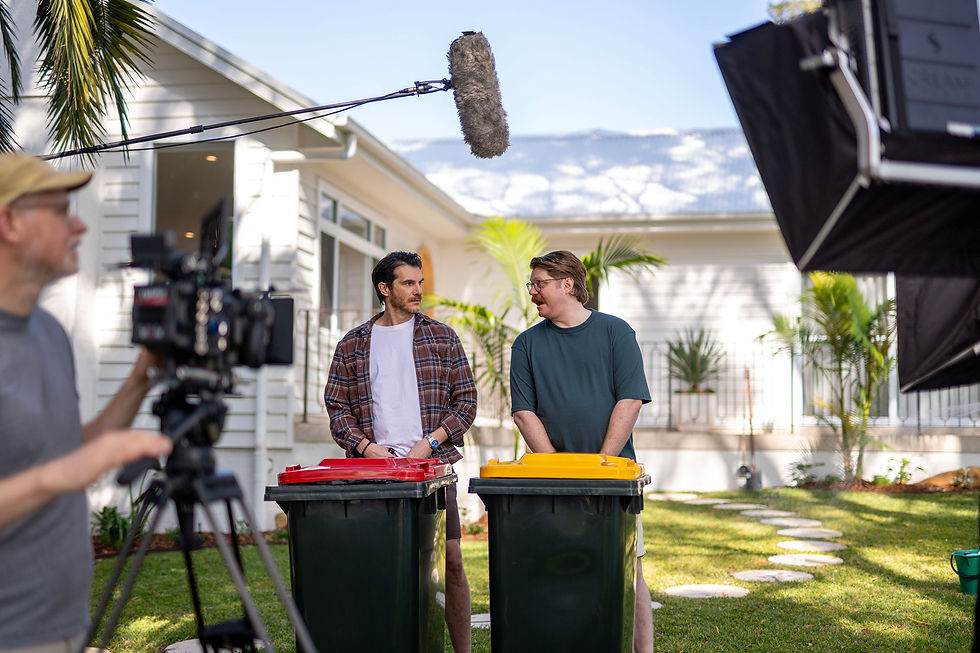
The most cost-effective approach is to plan your LinkedIn assets before the shoot and capture them all in one or two production days. One well-planned day can produce a hero brand video plus a month or more of LinkedIn content.
A typical LinkedIn-focused shoot day for an enterprise brand might capture:
A hero brand video of 60 to 90 seconds for your company page and website.
Three to five 15 to 30 second ad cutdowns, each built around one message, in 4:5 and 9:16.
Short executive videos, where two or three leaders each record several 30 to 60 second points of view on topics your buyers care about.
A customer case study or testimonial cut into a full version and short proof clips.
Photography of your people and workplace for static ads and retargeting.
From our experience across more than 18 years of production in Sydney, the planning stage makes the biggest difference to the cost per asset. When we know on day one that a clip needs to work as a 4:5 ad with captions, we frame, light and direct for it. When we find out afterwards, the edit has to work around footage that was never designed for the feed.
As a rough guide, a single-day shoot producing a hero video and a set of LinkedIn cutdowns typically sits in the $8,000 to $20,000 range in Sydney, depending on crew size, locations, talent and how much animation or motion graphics is involved. That is often less than commissioning each asset separately across the year.
Where Does Animation Fit on LinkedIn?
Animation works well on LinkedIn when you need to explain something complex quickly. 2D and 3D animation can show how a product works, visualise data or explain a process in 15 to 30 seconds, and it is fully readable with the sound off.
Explainer videos and animated data clips are especially useful for technical B2B products, financial services and government programs, where filming the real thing is difficult or not very visual. Many of our enterprise clients combine both: live action for people and credibility, animation for the explanation.

The Bottom Line
LinkedIn video for B2B works best when it is planned as its own set of assets, not an afterthought cut from a website film. Shoot for 4:5 and 9:16, keep ads to 15 to 30 seconds, put your brand in the opening seconds and make every video readable with the sound off.
Use video for what it does best on LinkedIn: earning attention and trust from the decision makers you want to reach. Then let retargeting and follow-up content do the work of turning that attention into leads.
If you are planning LinkedIn content for next year, we can help you map the assets you need and capture them in a single, efficient production. Talk to the Global Pictures team in Sydney about building a LinkedIn video set that works as hard as your sales team does.


Comments